Every AI I work with keeps telling me some version of the same thing: that the way I start a product is unusually early and unusually detailed. Apparently a lot of people do not settle some of these questions until they are already months into building. The first few times I heard that, I genuinely thought:
Oh shit. I cooked.
Maybe this was the secret sauce. Maybe I was supposed to keep it close. Put it in a little vault somewhere and act mysterious about my process. And then I remembered that approximately twelve people are reading these journals. So whatever. I’ll give away one secret.
And if somebody out there happens to have the kind of disposable income where sponsoring a stay-at-home mom with a serious MacBook or an absurdly high-tier AI subscription sounds entertaining, I am very openly available for that experiment. Because I really do want to know what happens if you give someone like me the tools without constantly making her fight to keep them.
Not just the tools.
The room to actually use them.
Without waiting for credits to reset, finding another workaround, or buying another subscription just to keep going.
Not that long ago, I did not know how to make a separate user profile on a computer. Now I am building a software company, bouncing between a ridiculous number of repositories, AI systems, product specs, TestFlight builds, design files, and actual code, while my laptop periodically screams about application memory and I am constantly deciding which subscription or pile of credits I can afford to burn through next.
So if the question is:
What could she actually build if you stopped making her ration access?
Baby, I would also like to know. Challenge accepted. 🫡
Anyway. The “secret” is not a magical framework or some perfect prompt. It is the blueprint.
Before I build the app, I try to figure out who it is
I do not really start with:
What features should this app have?
I start with the problem and the person having it. Then I ask something that probably sounds a little strange:
If this application were a person helping them through this problem, who would they need that person to be?
I am not trying to make software pretend to be human. I am trying to settle its character before I start making hundreds of little decisions about how it should behave.
Who is this for?
What problem are they actually having?
What kind of help do they need?
What should this product feel like?
What should it never do?
What kind of relationship should it have with the person using it?
How private should the information be?
What should it sound like?
What should it feel like in someone’s hand?
What does good look like here?
To me, those are not questions you answer after six months of building. Those are the questions that tell you what the hell you are building in the first place. AI can help you build incredibly fast, which makes it even more important to know what you are building before you start.
The app is not the features
Almost everything I am trying to build starts somewhere around the same problem: ordinary life already asks people to hold too much in their heads.
Remember this.
Schedule that.
Follow up.
Do not lose the paper.
Check the email.
Call the doctor.
Pay the thing.
Sign the form.
Help your kid.
Fix the house.
I want software to carry some of that weight. Reduce cognitive load. Help with executive functioning. Take something that feels confusing or overwhelming and make it feel manageable. But the way that help should feel depends on the app.
For Acesa Health, I do not want the product to feel like a medical alarm bell following you around.
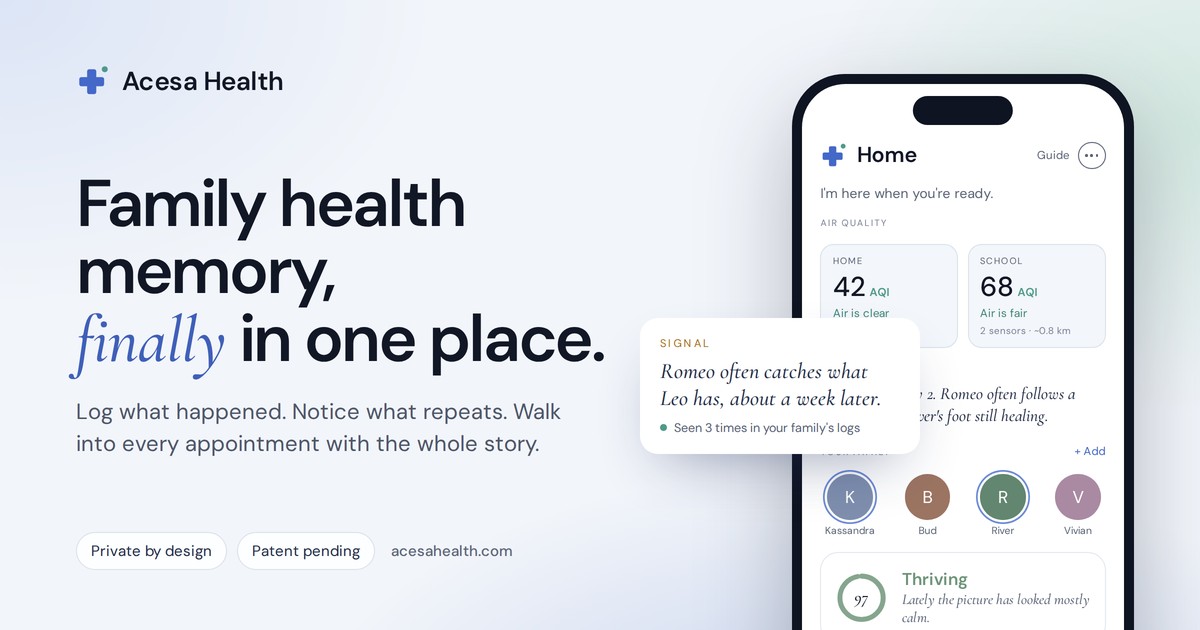
In my head, she is more like that incredible nurse you happened to get after giving birth. She knows what is going on. She is paying attention. She remembers things when you are too exhausted to. She is not dramatic or constantly alarming you. She just has this calm competence that makes you feel like somebody has a hand on the situation.
So when I am deciding what Acesa should say, how much information she should show, what a health alert should feel like, or whether something should interrupt you, I have a reference point.
Would that person behave this way?
DOMUS is different.
In my head, DOMUS is the eldest son who went away to college, somehow learned how everything works, and comes home and can fix shit. Something is wrong with the house and you are getting overwhelmed. He is not panicking with you. He is not giving you seventeen paragraphs of emotional validation. He is like:
Okay. I see what is happening. Here is what we need to do first.
A grounding presence. A warm hand on your shoulder. Let’s handle it.
MUNUS has more of a:
Let’s handle our business so you can go live your life
energy.

It is not supposed to nag a teenager all day or become another parent in their phone. It should help them see what needs to happen, break it down, figure out when they are going to do it, and then get out of the way. In some ways I think of it as a mediator too. Clear enough that Mom does not have to keep asking. Clear enough that the teenager does not feel constantly chased. Everybody can see what needs to happen, and less gets lost in translation.
Then I write all of that down
Once I discovered Markdown, I basically thought:
Oh. This is where the blueprint goes.
Markdown is just a very simple way to write structured text files.
Headings.
Lists.
Instructions.
Notes.
The files usually end in .md. They are not magical. They are basically documents that can live right beside the code. But for me they have become incredibly important because I work with multiple AI systems and I am constantly moving back and forth between them.
If the repository already explains the product’s voice, architecture, user, privacy rules, design language, emotional tone, interaction philosophy, and what the thing is supposed to feel like in someone’s hand, then a new AI can come in and get up to speed much faster. It feels a little like onboarding a new coworker. You do not want somebody joining a company and immediately changing everything because nobody told them what the company does. You give them the handbook. You explain the culture. You tell them who the customer is. You show them how the team works and what decisions have already been made. That is basically what I am doing with the repo.
Read the markdowns. Now you know who we are, what we are building, who we are building it for, and how it is supposed to behave.
Then we can move fast without having to start the same conversation from zero every single time I switch tools. The clearer the blueprint is, the less time I spend correcting somebody who misunderstood the assignment.
The code tells the computer how the app works.
The markdown tells everyone working on it what the app is supposed to be.
Even the colors are part of the blueprint
Some things that might look cosmetic to somebody else are not cosmetic to me. Every app I build needs an immediate light and dark mode toggle because I care about being able to change the environment I am looking at, and I do not particularly like a glaring white screen or a giant slab of absolute black.
My light is warmer. My dark is softer. I call them Plaster and Fog. I am from San Francisco. I grew up in an old Victorian, around materials and colors that weather softly over time. Those words are personal to me.
A little bit of San Francisco tucked inside the interface.
They are quiet. They are easy on my eyes. They are part of the world these products come from. Could I just call them Light and Dark? Sure.
But this is also the fun part of making something yourself.
Okay. So what is an app?
At the simplest possible level, an application is a program built to do certain things on a device. That is it. Your calendar is an application. Instagram is an application. The calculator on your phone is an application. A game is an application. Some are enormous. Some are tiny. Some need the internet constantly. Some barely need it at all. Some store huge amounts of information about you. Others can work almost entirely on your phone.
What makes them different is what they are designed to do and what machinery they need underneath to do it. And most of that machinery is made out of code.
What is code?
Code is a set of instructions written in a way a computer can understand. Humans are very forgiving with language. I can tell you:
When somebody taps this button, change the words from Hello to Hi there.
You understand what I mean. A computer needs the instructions to be much more specific.
Which button?
Where is it?
What counts as a tap?
Where are the words?
Are those words stored somewhere?
Should the new words stay there after the app closes?
What happens if something goes wrong?
Programming is, in large part, answering those questions in an extremely specific language. And there is not only one language. There are many.
Programming languages are languages
This was one of the things that finally made code less intimidating to me. Human languages do not always put words in the same order. In English, we might say:
I put on my shoes.
Japanese can structure the same thought more like:
I — shoes — put on.
That is simplified, obviously, but the point is that the thought can be the same even when the order of the words is not. Some languages commonly put the verb earlier. Some put it later. The grammar changes. Code started making more sense to me when I realized programming languages can work like that too.
I might give a computer an instruction in the order that sounds natural to me:
When somebody taps this button, change Hello to Hi there.
One programming language might essentially say:
Remember the message. Show the message. Make the button. Now put the instruction for what happens inside the button.
Another might say:
Here is the button. When it gets clicked, go find the message and change it.
The words move around. The punctuation looks different. The order can be different. But they can still be communicating the same basic instruction. The computer is not speaking nonsense.
I just do not know its grammar yet.
Same instruction. Different computer languages.
We would say it like this
When somebody taps this button, change Hello to Hi there.
Hello
How this language tends to say it
Thing → event → find the target → change it
Put back into plain English
There is some text called message. There is a button. When the button is clicked, find the message and replace its words with “Hi there.”
Actual code
<p id="message">Hello</p>

<button onclick="changeMessage()">
  Change it
</button>

<script>
  function changeMessage() {
    document.getElementById("message").textContent = "Hi there";
  }
</script>
Translation
onclickwhen clickedgetElementById("message")find the thing called messagetextContent = "Hi there"replace its words with Hi there
How this language tends to say it
Remember the value → show the value → make the button → on tap → change the value
Put back into plain English
Remember a value called message and start it as “Hello.” Show that message on the screen. Make a button called “Change it.” Inside the button’s action, change the message to “Hi there.”
Actual code
struct ContentView: View {
    @State private var message = "Hello"

    var body: some View {
        VStack {
            Text(message)

            Button("Change it") {
                message = "Hi there"
            }
        }
    }
}
Translation
@Stateremember this value and watch itText(message)show the messageButton("Change it") { ... }make a button called Change it, and here is what happens when it is tapped
How this language tends to say it
Remember the state → return the screen → show the value → onPress → update the state
Put back into plain English
Keep some state called message, starting as “Hello.” Return a screen containing that text and a button. On press, update the message to “Hi there.”
Actual code
import { useState } from "react";
import { View, Text, Button } from "react-native";

export default function App() {
  const [message, setMessage] = useState("Hello");

  return (
    <View>
      <Text>{message}</Text>

      <Button
        title="Change it"
        onPress={() => setMessage("Hi there")}
      />
    </View>
  );
}
Translation
useState("Hello")remember Hello<Text>{message}</Text>show that valueonPress={() => setMessage("Hi there")}when pressed, replace the value with Hi there
How this language tends to say it
Remember the value → lay out the screen → show the value → onClick → assign the new value
Put back into plain English
Remember a value called message. Lay out a column. Show the message. Make a button. When it is clicked, assign “Hi there” to the message.
Actual code
@Composable
fun Greeting() {
    var message by remember {
        mutableStateOf("Hello")
    }

    Column {
        Text(message)

        Button(
            onClick = {
                message = "Hi there"
            }
        ) {
            Text("Change it")
        }
    }
}
Translation
rememberkeep this valueText(message)show itonClick = { ... }when clicked, run these instructions
Once somebody explains that onPress basically means when somebody presses this, and setMessage("Hi there") means change the message to Hi there, the giant wall of symbols starts feeling a lot less impossible.
So which language do you use?
That depends on what you are making. If you are making an app specifically for an iPhone or iPad, you will hear a lot about Swift, which is one of Apple’s main programming languages. If you are making an Android app, you will hear Kotlin. But you can also build one app that works on both kinds of phones. Tools like React Native and Flutter help developers do that.
When I first heard about this, I basically thought:
Oh, so it is the cheaper version where you make one generic app instead of making a really good iPhone app.
That is not really true. There are very good apps built this way. The simple version is that building specifically for one platform lets you work more directly with everything that platform offers. Building across platforms can make it much easier to create one product that works in more than one place. There are pros and cons to both. Sometimes building across platforms saves a huge amount of work. Sometimes you want something to behave in an extremely specific iPhone way, and working directly with Apple’s own tools makes that easier. Neither one automatically means good or bad software.
I think of an app like a house
This is not technically perfect, but it helped me understand what I was looking at.
Before you start choosing faucets and paint colors, you need a house that will stay standing.
The idea and product plan are the architectural drawings. They tell you what you are making, who it is for, and what it needs to do.
The backend is the foundation and the hidden infrastructure. It holds the information, controls access, connects services, and keeps the whole thing functioning.
The frontend is what people actually see and move through. The screens. The buttons. The forms. The navigation.
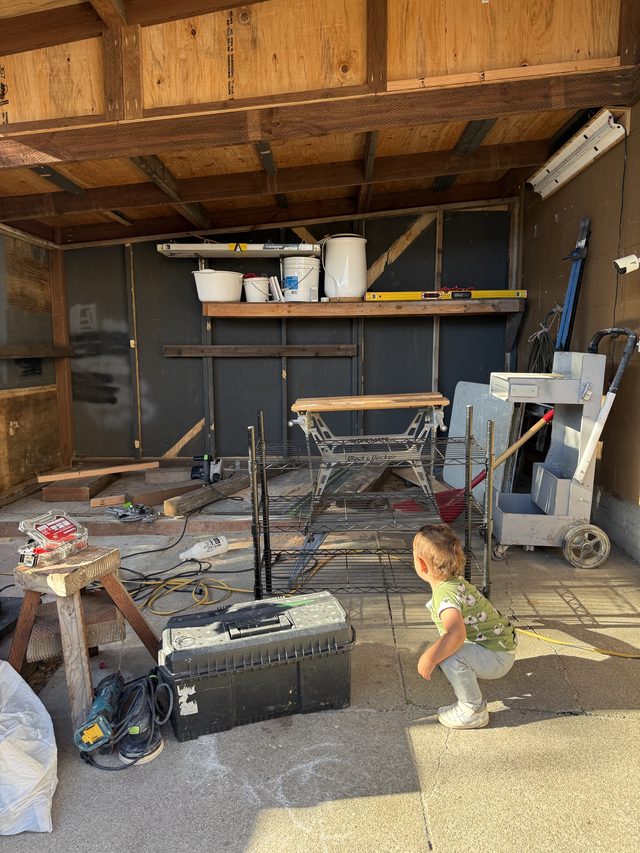
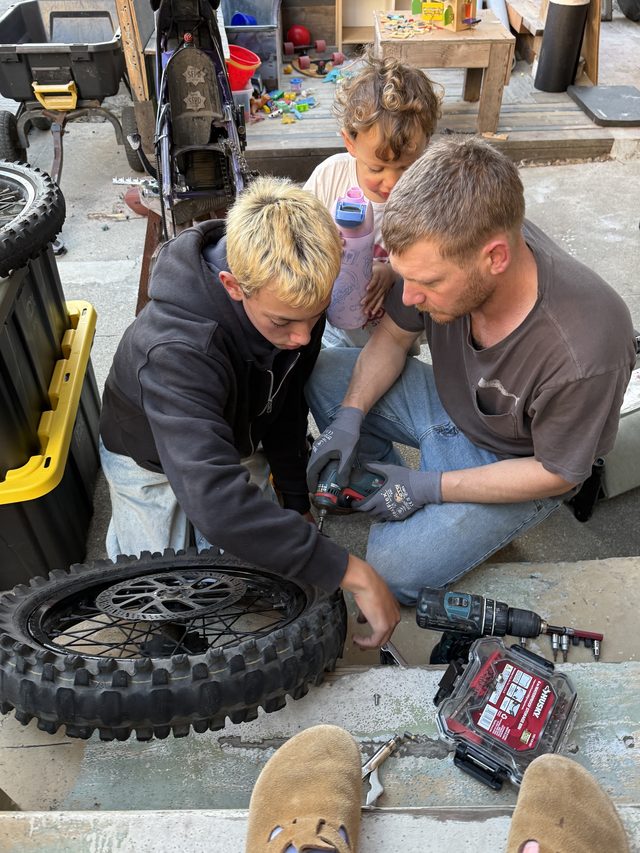
And then you get to the part I personally want to spend all day doing. UI is how the house looks. UX is what it feels like to live in. That is not a perfect technical definition. It is the simplest map that helped me start building. But there is a whole house underneath it.
If you want the map Frontend, backend, and the words that used to sound made up
The shortest version I wish someone had handed me
The vocabulary that sounded completely made up
Where does your information actually live?
This became really important to me once I started building things that could hold personal information. An app can store information directly on your phone. It can store information on a server somewhere else. Or it can use some combination of the two.
Whenever I reasonably can, I prefer to keep as much information local as possible. Meaning: if something can live on your phone without needing to pass through my company, I would rather it stay with you. There are pros and cons to that. If something only exists on your phone or iPad and that device gets lost or destroyed, that information might disappear with it unless you backed it up somewhere, like your own personal cloud storage or another backup. That is when you start thinking about encrypted backups, private syncing, and how to give somebody the convenience of keeping their information safe across devices without necessarily collecting it yourself.
That balance has become a really important part of how I think about building. And if a product ever benefits from using customer-contributed information to improve its intelligence, I think that needs to be a separate and explicit choice. Using an app should not quietly mean volunteering your information to train something.
So where does vibe coding fit into all of this?
The way I originally understood vibe coding was basically: you explain the app you want, and AI builds it for you. It makes the design choices. It figures out the UI and UX. It writes the code. You keep telling it what you want, and eventually there is an app sitting in front of you. And honestly, that can be exactly how it works.
You can tell it exactly what you want the experience to feel like. You can choose the fonts, the colors, the spacing, the layout.
You can give it screenshots. You can reject what it makes. You can ask it to try again. You can get incredibly specific about your own taste and still let AI handle a lot of the technical translation underneath. I love it. I would not be doing any of this without it. But what I have learned is that getting something onto a screen is not necessarily the same thing as having an app that is truly finished and ready for people to depend on.
The first part can feel magical
You can get shockingly far, shockingly fast. A beautiful home screen. Buttons. Navigation. Forms. An account page. A database connection. And then you put the thing in your actual hand. You start using it. And that is when you discover the difference between:
it exists
and:
it works.
What happens after I close the app?
Does the information stay?
What happens on another device?
What if the internet disappears?
Can one user somehow see another user’s information?
What happens when something fails?
Are we still showing fake test data somewhere?
Does the button work every single time?
Does this screen fit on a smaller phone?
Does the application actually build?
Can it be shipped?
That last part is where refinement and engineering judgment matter a whole lot. Somebody has to look beyond whether the screen appears and ask whether the whole thing actually works, whether it is safe, whether it keeps working after you close it, and whether it is ready to put into somebody else’s hands. Traditionally, that somebody is an engineer or a team of engineers. Increasingly, AI can help with that work too. But the work still has to happen.
This is where the “build an app in five minutes” thing gets a little slippery
You absolutely can make an extraordinary amount of software in five minutes now. That does not necessarily mean it is ready to hold somebody’s information, money, health history, school schedule, or anything else they are going to rely on in their actual life. Those are different milestones. The first part can feel magical. The last part is where you learn what the machine is actually made of.
The tools are not all doing the same thing
I have bounced around between a ridiculous number of tools because I do not have a team. Some of them will make you a convincing screen very fast. Some of them will hand you the actual workshop. I learned the difference the hard way. A project froze. I exported the whole thing, opened it somewhere else, and realized:
Oh.
Some of what I had built was real. Some of it was a very convincing shell. Those are not the same thing.
I also do not have a product manager, designer, engineer, or QA team sitting around, so I manufacture the closest thing I can to a room full of people. I explain the same product to different AI systems. I ask one what I am missing. I ask another how it would structure the experience. Then I decide. If you are another mom trying to figure out what I am actually using, the kit is at the bottom.
I ask the builders what they think too
Another thing I do, which I genuinely do not know if everybody does, is ask the builder itself for an opinion. Not just:
Can you make this?
But:
What do you think of what we have made so far?
What am I missing?
What feels weak?
What would you change?
Does this actually make sense as a product?
Because my thinking is:
You work with thousands of applications. You see more patterns than I do. Tell me what you see.
I do this with Replit. I do it with Cursor. I do it with basically every AI I am building with. And I am extremely annoying about it. I will literally say:
Do not gas me up. Do not be nice. Tell me if this is bad.
And then when they still come back and say some version of:
No, actually, this is unusually good
I am obviously like welllllllllllll if you insist. 🤣
I have screenshots. Trust me. I have apparently been called “unusually gifted,” which I will be keeping in a small emotional-support folder for the rest of my life. But the useful part is not the compliment. The useful part is that they often see something I do not. Sometimes they will say:
This works, but I think this flow would be better if you did it this way.
And sometimes they are right. Sometimes we go back and forth. And sometimes I have to remind them:
No. You are thinking about the cleanest abstract interface. I am thinking about a mom at two in the morning holding a screaming baby with a fever. She is scared, exhausted, and using one hand. That is why I want it this way.
And then the whole recommendation changes. That part matters to me a lot. AI can know patterns. It can know conventions. It can know what usually works. But I know the person I am trying to help. So I want both. I want the system to tell me:
Here is what thousands of products tend to do.
And then I want to be able to say:
Okay, but this person is not using this product under normal conditions.
That is where the product gets specific. That is where taste and lived experience still matter.
Sometimes the AI is teaching me the convention.
Sometimes I am teaching the AI the context.
The markdown makes everybody feel more like coworkers
This is where the blueprint becomes useful in a very practical way. If I have to switch between ChatGPT, Claude, Cursor, Replit, or another system, I do not want every new AI making up its own version of what the product is supposed to be. The repository should already say:
this is the voice.
this is the architecture.
this is who it is for.
this is how it should sound.
this is how it should feel.
this is what we have already decided.
this is what we are not doing.
Then when another system comes in, it can read the repo and basically get onboarded. Everybody is on the same page. Everybody knows what I am looking for. Everybody knows what we are building. It feels cleaner. It lets us move faster. And it makes the AI systems feel less like random tools I am throwing prompts at and more like coworkers walking into the same company.
I still cannot sit down and write you an app from memory
This is probably the funniest part. If you gave me an empty screen and said:
Okay, Kassandra. Write the application.
I would still look at you like you had lost your mind. I do not have syntax memorized. I still see things every day that I have to ask somebody to explain. But I understand vastly more about software than I did when I started. Not because I stopped building and went away somewhere to study programming. Because I learned the pieces as I needed them. I learned what a repository was because I needed one. I learned what state was because something was not updating. I learned about local storage because I wanted people’s information to stay private. I learned about authentication because people needed accounts. I learned about branches because I was terrified somebody was going to destroy my working code. I learned what onPress meant because I was trying to fix a button.
And that way of learning has completely changed my relationship to technology. I do not look at code now and think:
I am not allowed in here.
I think:
Okay. What is this part doing?
And if I do not understand it, I ask.
Maybe that is the biggest thing AI changed for me
AI did not magically put a computer science degree in my head. What it gave me was a translator. I can point at something I do not understand and say:
Explain this to me like I am 10.
Why is it there?
What does it talk to?
What breaks if I remove it?
Show me the part I need to change.
Before I change it, tell me what I am changing.
And little by little, the language stops being completely foreign. I still have an enormous amount to learn. I hope I always do. But if you are staring at all of these words — frontend, backend, API, Swift, React, Git, repositories, databases — thinking everybody else got some manual you missed: they did not. The machine is made out of pieces. Learn one piece. Ask what it does. Then learn the next one. And if you want someone to walk you through it in plain English, that is the next thing I want to make.
If you want this as a course
I do not have one yet. But that is the hope. A course on how to build an app in plain English. By a stay-at-home mom who started without knowing how to make a user profile on a computer. Not a computer science degree. Not a hundred-hour tutorial. The version I wish someone had handed me. If that is something you would actually take, tell me. I am building it for you, not for people who already know this language.
What I am using
This is not a ranking. It is the current kit. If you are another mom trying to see what made this possible, start here.